
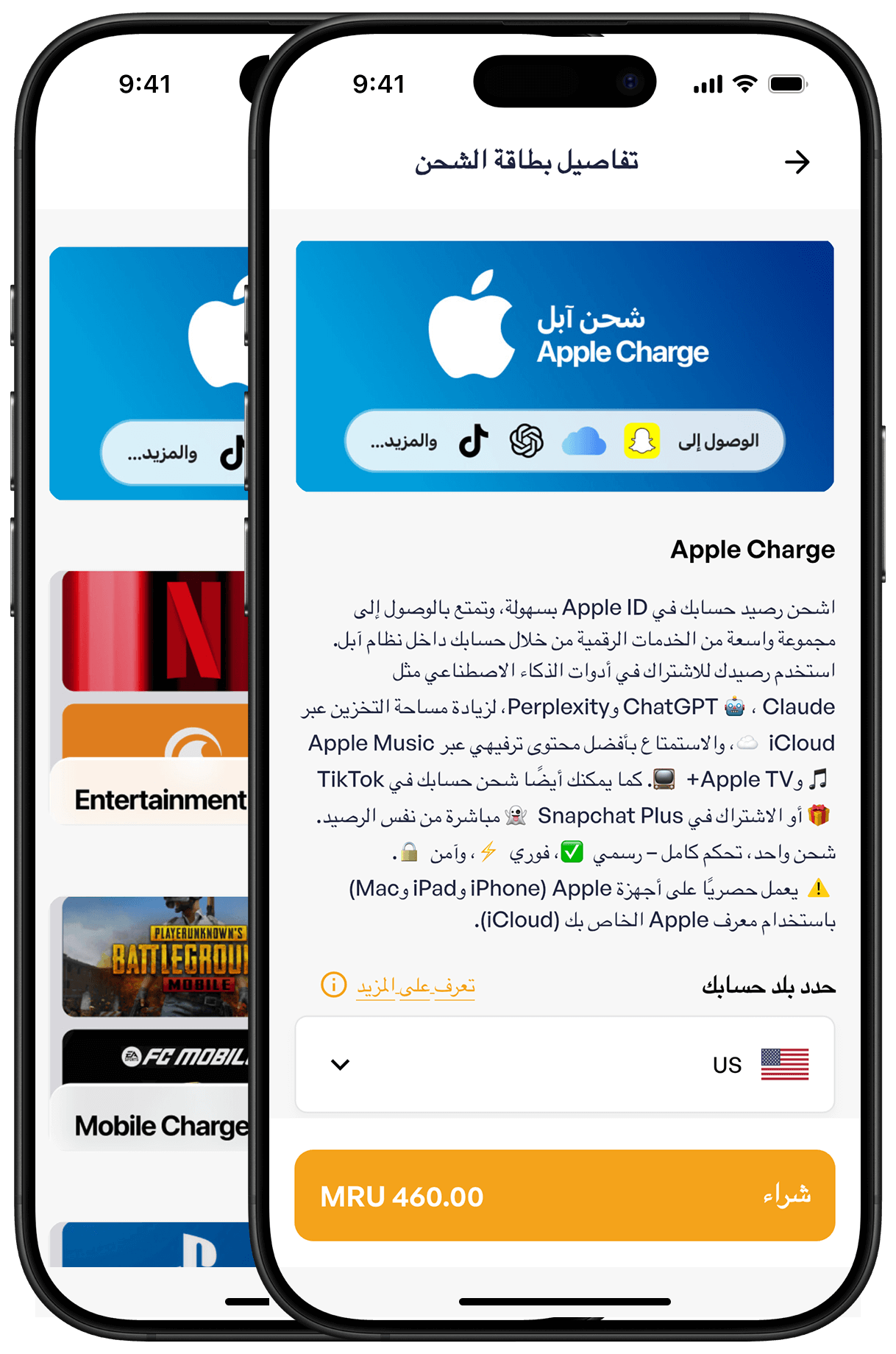
Select the gift card amount
Open the Bedel app, go to Charges, choose the provider (e.g., Apple Charge), pick the amount you want, and tap Buy 460 MRU to continue.
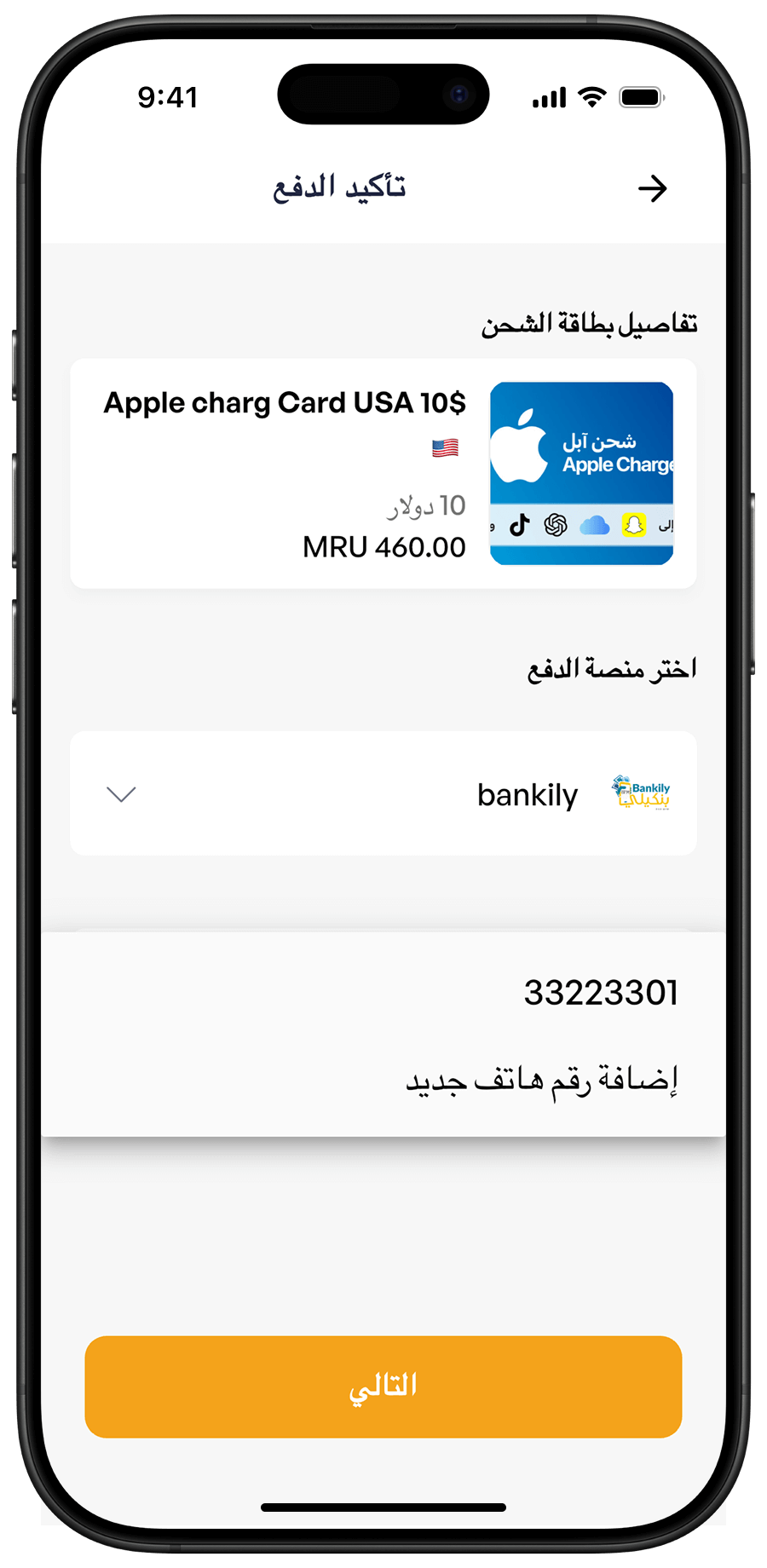
Select Bankily and your phone number
Choose Bankily as the payment method (it's selected by default), then pick the Bankily phone number you want to use. If the number you need isn't listed, you can add it. Tap Continue to proceed.
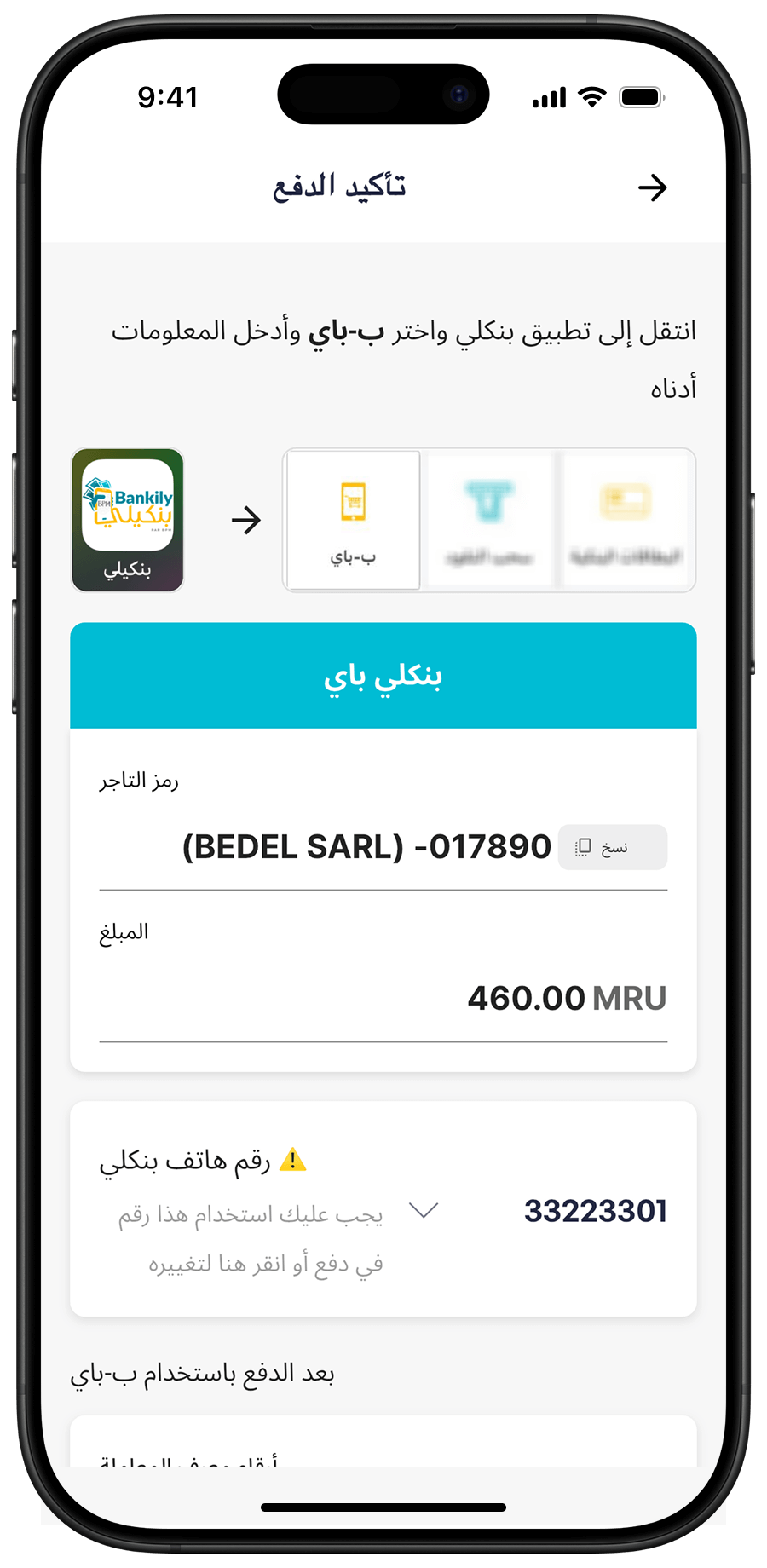
Bankily payment screen
On this screen, you'll see the Bedel merchant code [017890]—you can copy it by tapping Copy . You'll also see the exact amount to pay. Then open Bankily to complete the payment.
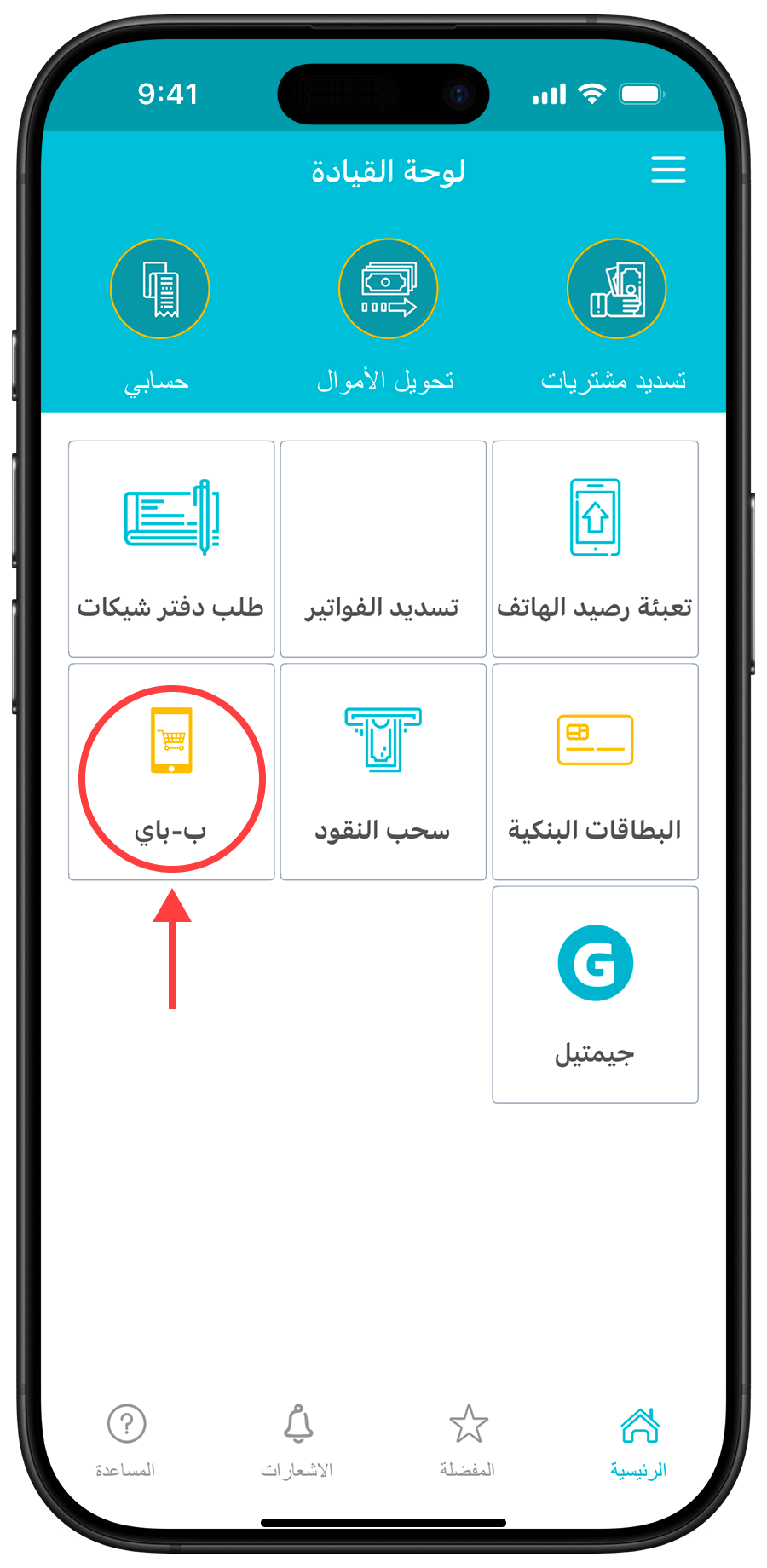
Open the Bankily app
Open the Bankily app using the phone number you selected in the previous step.
Pay using B-Pay
To complete the payment, enter the merchant code and the exact amount shown in Step 3. then follow the standard Bankily payment steps.
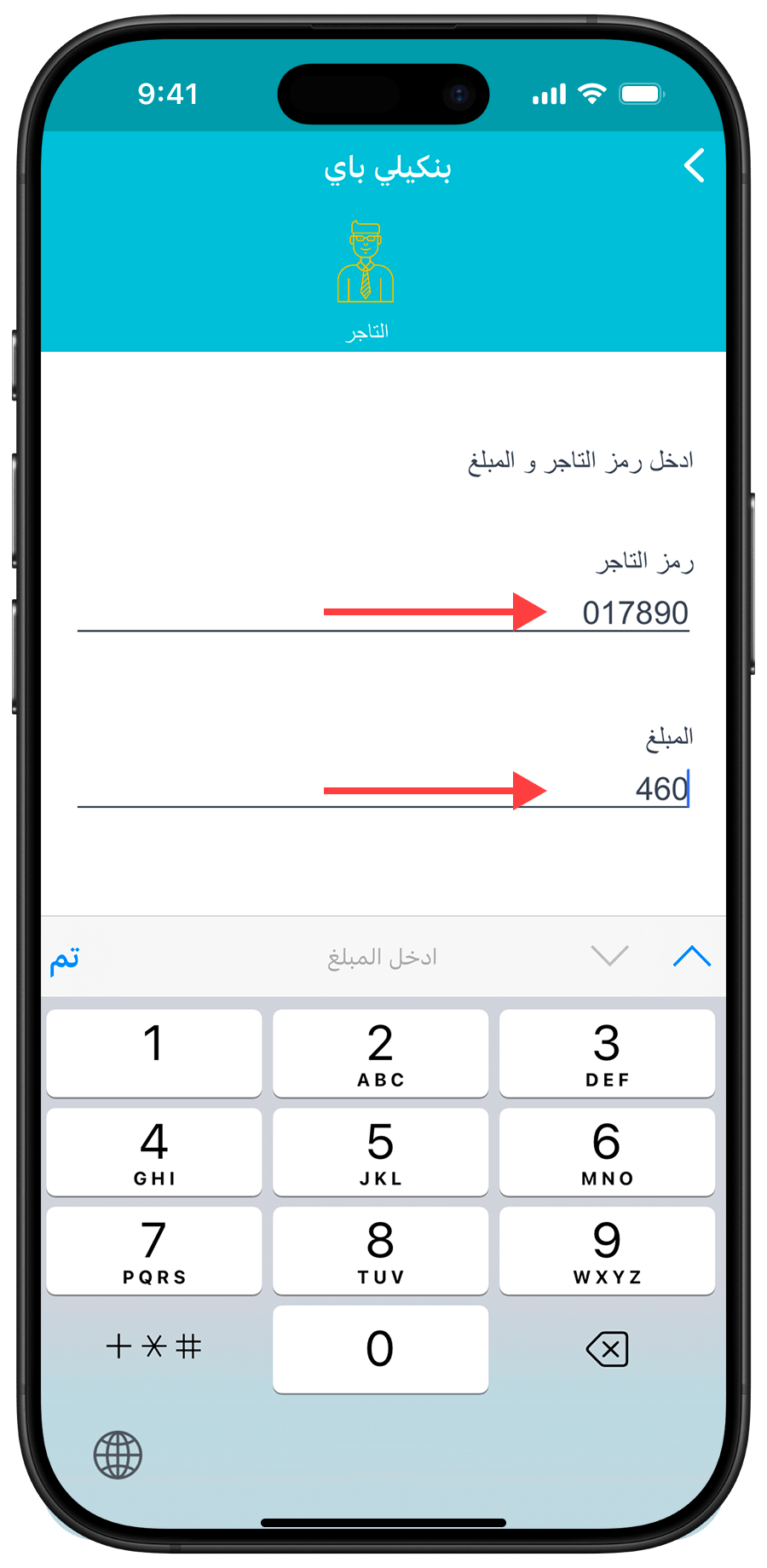
If the amount or phone number doesn't match what's shown on the Bedel payment screen, the payment won't go through and no money will be deducted from your Bankily balance.
Bankily payment code
After entering your Bankily PIN, you'll see a screen showing a 4-digit confirmation code. Remember this code and return to Bedel Charge.
This is only a payment request. No money is deducted yet. The amount will be taken only after you enter this confirmation code on the Bedel payment screen and the payment succeeds.
Bedel payment screen
Return to the Bedel payment screen from Step 3, scroll to the confirmation code section, and enter the code you received in Step 6. Bedel will then process the payment. If the amount and phone number match, your payment will be completed and you'll be taken to the success screen.
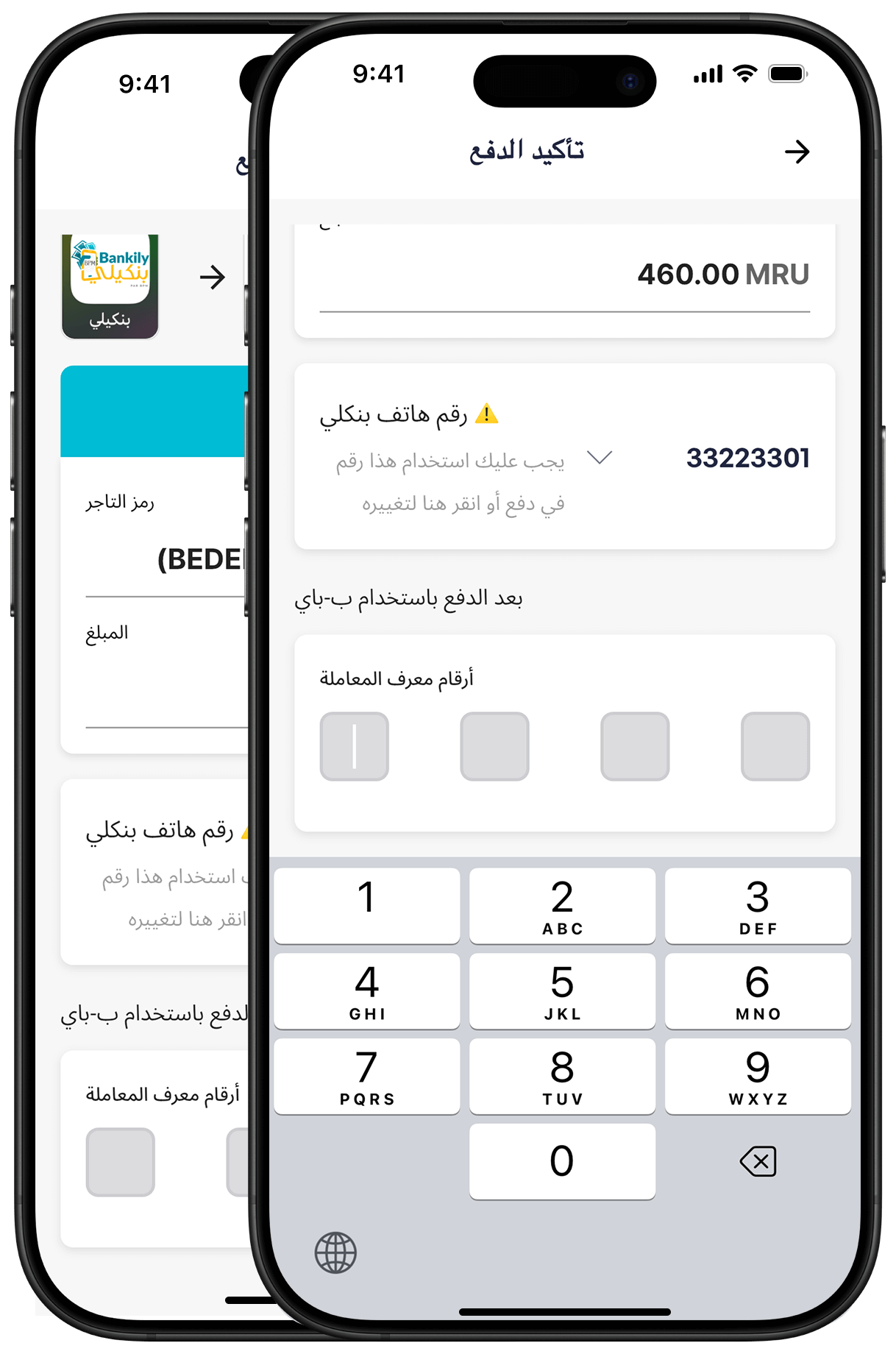
Payment success
Congratulations! You've successfully purchased your Bedel Charge gift card. This screen shows your gift card code and a button for direct recharge.
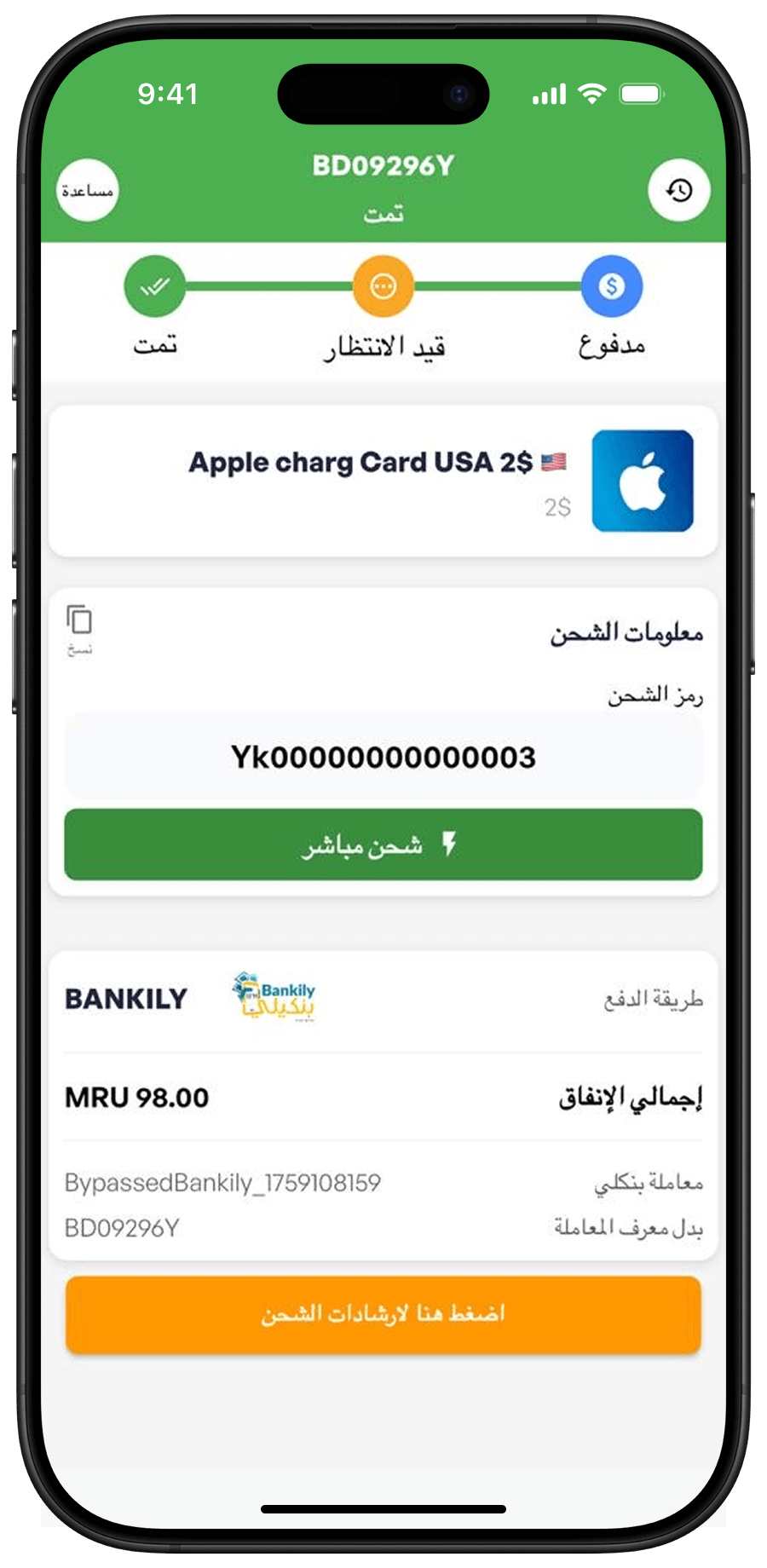
You can always revisit this page from your recent orders in Bedel.